
Favicons are tiny icons that appear in browser tabs when visitors view your site, and in bookmarks when they save pages on your site. When you set a fav icon, it will appear on all pages of your site, no matter what template you use , and/or a favicon to be used in the store administration area.
NOTE: If you are unable to follow this tutorial to set a fav icon for your site, chances are you are not using the Site Builder version 2.94 or above. You will need to submit a support ticket and ask us to upgrade your site (free).
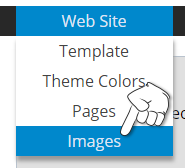
You can upload a favicon by hovering over Website then clicking on Images in your storeadmin
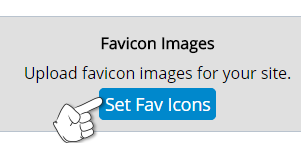
Then click on Set Fav Icons
Click the Choose File button to select an image to be used as your favicon.
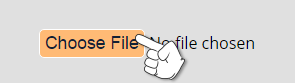
Then click Upload Site Favicon to upload that image. This will automatically upload multiple favicons, sized for multiple devices. Note that all images are cropped to a square first, then resized to the appropriate size. Transparent PNG images will remain transparent.


Follow the exact same steps to add or remove an Admin favicon.