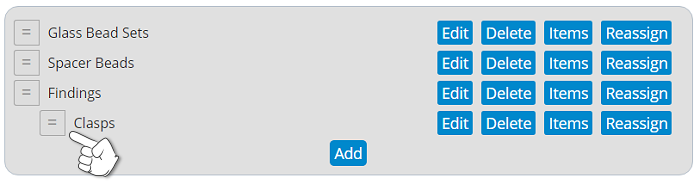
If you wish to change the order in which the links appear in your navigation on your site, use the handle next to each category or subcategory to drag it to a new position. This works for both pages and categories.
Log into your storeadmin Go to Website / Pages Find the page you want to delete and...
This is how to hyperlink text on your page that will take visitors to another page or site. IF...
Log into your storeadmin Go to Website / Pages Scroll down and click Add New Page...
To turn a page on or off from public view, go to Website / Pages and toggle inactive to active or...
If you are adding a new page or editing a page you have created, you can change the page name at...
Copyright © 2026 Pappashop. All Rights Reserved.